E commerce App Development Service

We help businesses turn their online store ideas into real mobile apps that people love to use. Whether you’re starting fresh or moving your website into an app, we build ecommerce apps that are fast, easy to use, and designed to increase your sales.

From Android and iOS apps to Flutter and React Native solutions, we handle everything — design, development, and launch — so you can focus on growing your business.

ecommerce app service
cost-of-ecommerce-app

Cost of e-commerce app development

The Starter Setup ($8k – $15k)
If you’re a small business or a single shop owner just looking to get your foot in the door, this is your best bet. It covers the essentials: product pages, a shopping cart, secure checkout, and a simple back-end for you to manage orders. It’s straightforward and gets the job done.

The Professional Upgrade ($15k – $30k)

As you grow, you’ll probably want more “bells and whistles” to keep customers coming back. This price range moves into custom designs, push notifications to announce sales, discount codes, and customer reviews. You also get much better data and analytics so you can actually see what’s working.

The Big Marketplace ($25k – $60k+)

If you’re trying to build the next Amazon or Etsy where other people sell their stuff on your platform, things get a lot more complex. You’ll need vendor portals, a system to handle commissions, and a heavy-duty backend to keep everything running smoothly. It’s a bigger investment because you’re essentially building a platform for hundreds of mini-stores.

Development time of E-commerce app

Quick Launch (1 to 2 Months)

A basic app is perfect if you need to get to market fast. We focus on the essentials—clean design and core features—so you can start using it in about 4 to 8 weeks. It’s the “lean and mean” approach for small businesses.

The Sweet Spot (2 to 4 Months)

Most professional apps fall into this 8 to 16-week window. This gives us enough time to build in custom branding, sync up with third-party tools (like payment processors or CRM systems), and set up push notifications. We also spend more time fine-tuning the performance so everything feels snappy.

The Enterprise Build (4 to 6 Months+)

For massive projects—like a multi-vendor marketplace or a platform with a heavy backend—you’re looking at 16 to 24 weeks. Because these apps involve complex permissions, high-level security, and a lot of moving parts, we take the extra time for deep testing and building a foundation that won’t break as you scale.

Number of apps included

User App

The user app is where customers can browse products, add items to their cart, make payments, and track their orders easily. It provides a smooth shopping experience with simple navigation and secure checkout.

Admin App

The admin app helps you manage your entire business from one place. You can control products, track orders, manage customers, view sales reports, and monitor overall app performance.

Vendor App

The vendor app allows sellers to list their products, manage inventory, track orders, and check their sales. It helps vendors easily manage their store and grow their business on your platform.

Features of User Ecommerce Apps for a Business

Better Customer Experience

A mobile app makes shopping easier and faster for customers with smooth navigation, quick access to products, and a simple checkout process.

Direct Marketing Channel

You can directly connect with customers through push notifications, offers, and updates without depending on third-party ads.

Customer Data & Insights

The app helps you understand customer behavior, preferences, and buying patterns so you can make better business decisions.

Operational Efficiency

Automating tasks like order management, tracking, and customer support saves time and improves business operations.

Boost in Sales and Revenue

Easy checkout, personalized recommendations, and in-app purchases help increase sales and customer retention.

Increased Brand Visibility

Having your app on customers’ phones keeps your brand visible and builds trust and long-term loyalty.

Features of Admin Ecommerce Apps for a Business

Complete Dashboard Control

Manage your entire ecommerce business from one place. View sales, orders, customers, and performance in a simple dashboard.

Product & Inventory Management

Easily add, edit, or remove products and keep track of stock levels to avoid over-selling or shortages.

Order Management

Track all orders, update order status, manage returns, and handle customer requests smoothly.

User & Vendor Management

Manage customers and vendors, approve registrations, and control access to the platform.

Sales Reports & Analytics

Get detailed reports on sales, revenue, and customer activity to understand business performance.

Discounts & Marketing Control

Create offers, coupons, and promotional campaigns to attract more customers and increase sales.

Screens In User App

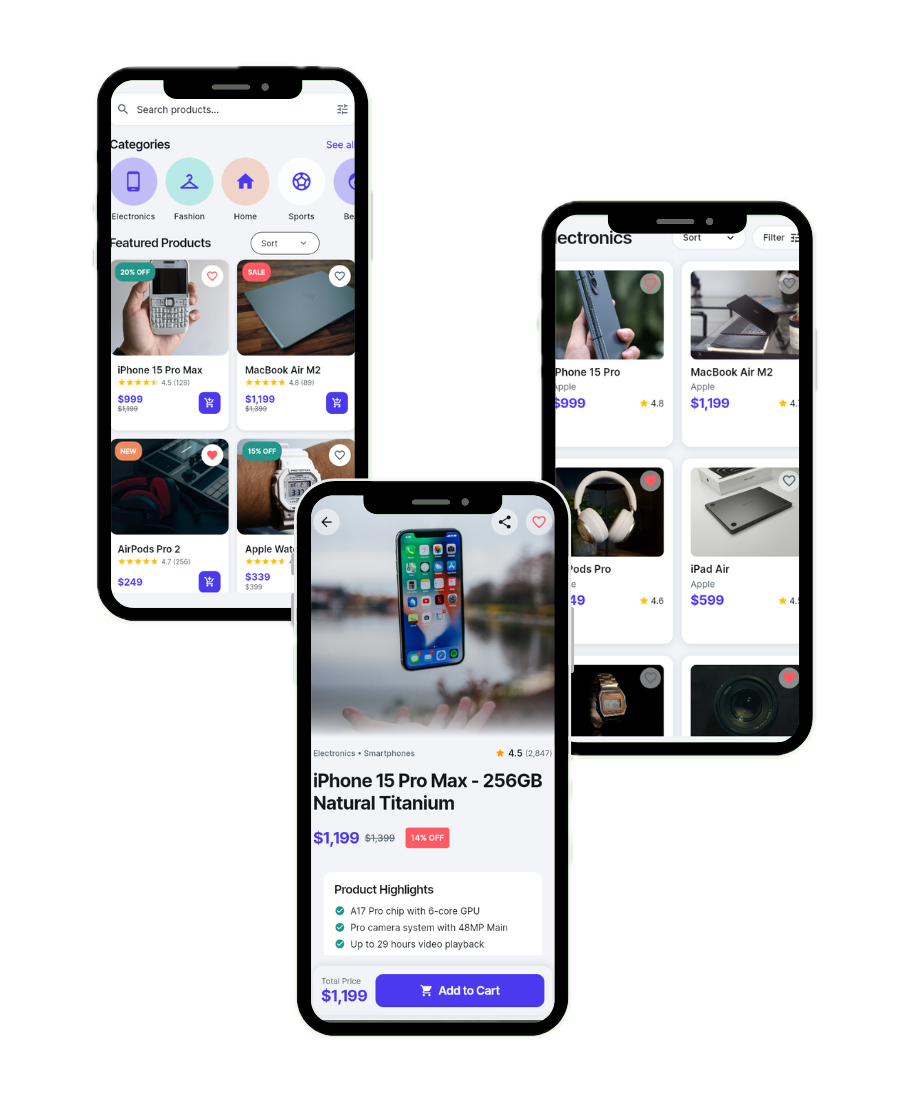
Home Screen: This is the first screen users see after opening the app. It shows featured products, categories, trending items, and special offers. It helps users quickly explore the app and find products easily.

Splash Screen: This screen appears when the app is loading. It shows the brand logo and creates a good first impression while the app prepares in the background.

Onboarding Screen: Introduces the app features and explains how it works. It helps new users understand the app quickly and improves user engagement.

Login / Signup Screen: Allows users to register or log in securely using email, phone, or social accounts. It helps save user details, order history, and provides a personalized experience.

Product Categories Screen: Displays all product categories like electronics, fashion, groceries, etc. It helps users easily navigate and find products based on their needs.

Product Listing Screen: Shows all products under a category with filters and sorting options like price, popularity, and ratings. It makes browsing faster and more convenient.

Search Screen: Allows users to search for products instantly using keywords. It helps users quickly find specific items without browsing.

Product Details Screen: Shows full product information like images, description, price, reviews, ratings, and available options. This helps users make confident buying decisions.

Wishlist Screen: Users can save products they want to buy later. It improves user engagement and increases chances of future purchases.

Cart Screen: Displays selected products before purchase. Users can update quantity, remove items, and review their order.

Checkout Screen: Handles shipping details, address selection, payment methods, and order confirmation. It ensures secure and smooth transactions.

Payment Screen: Allows users to choose payment options like card, UPI, wallet, or cash on delivery. It ensures safe and easy payments.

Order Confirmation Screen: Shows order details after successful payment. It gives users confirmation and builds trust.

Order Tracking Screen: Allows users to track order status in real time from processing to delivery. It improves transparency and customer satisfaction.

Order History Screen: Shows previous orders and purchase details. Users can reorder or check past transactions easily.

Notifications Screen: Displays updates about orders, offers, and promotions. It keeps users informed and engaged.

Profile Screen: Users can manage personal details, addresses, saved payment methods, and account settings.

Support / Help Screen: Provides customer support, FAQs, and contact options. It helps users resolve issues quickly.

Reviews & Ratings Screen: Users can give feedback on purchased products. It builds trust and helps other customers make decisions.


Screens In Admin App

Admin Login Screen: This screen allows the admin to securely log in to the system. It protects business data and ensures only authorized people can manage the app.

Dashboard Screen: The dashboard shows an overview of the business, including total sales, orders, users, and revenue. It helps admins quickly understand how the app is performing.

Product Management Screen: Admins can add, edit, or remove products, update prices, upload images, and manage product details. It helps keep the store updated and organized.

Category Management Screen: Allows admins to create and manage product categories. It helps organize products properly and improves user navigation.

Order Management Screen: Admins can view all orders, update order status, handle returns, and manage delivery details. This ensures smooth order processing.

Customer Management Screen: Shows customer details, order history, and account information. It helps admins manage users and provide better support.

Vendor Management Screen (For Marketplace): Admins can approve vendors, manage seller accounts, set commissions, and monitor vendor performance.

Inventory Management Screen: Helps track product stock levels and manage availability. It prevents over-selling and stock shortages.

Payment Management Screen: Shows transaction details, payment status, and refunds. It helps track revenue and manage financial records.

Discount & Coupon Management Screen: Admins can create offers, promo codes, and discounts to attract customers and increase sales.

Banner / Content Management Screen: Allows admins to update homepage banners, promotions, and content displayed in the app.

Reports & Analytics Screen: Shows sales reports, revenue data, customer activity, and business performance insights. It helps in making better decisions.

Notification Management Screen: Admins can send push notifications, updates, and promotional messages to users.

Reviews & Feedback Management Screen: Admins can monitor customer reviews, manage ratings, and handle feedback.

Delivery Management Screen (If included): Used to manage delivery partners, assign orders, and track delivery status.

Settings Screen: Admins can manage app settings like payment gateways, taxes, shipping charges, and system configurations.

Support / Help Management Screen: Helps manage customer support requests, queries, and complaints.

Screens In Vendor App

Vendor Login / Registration Screen: Allows sellers to register or log in to their vendor account. It ensures only approved vendors can access and manage their store.

Vendor Dashboard Screen: Shows an overview of sales, orders, revenue, and product performance. It helps vendors quickly see how their store is doing.

Product Management Screen: Vendors can add new products, update details, set prices, upload images, and remove items. It helps manage their product catalog easily.

Inventory Management Screen: Helps vendors track stock levels and product availability. It prevents out-of-stock issues and over-selling.

Order Management Screen: Shows all customer orders, order details, and status updates. Vendors can accept, process, or cancel orders from here.

Order Tracking Screen: Allows vendors to check order progress and delivery status. It helps manage order fulfillment smoothly.

Earnings / Revenue Screen: Shows total earnings, sales reports, and payment details. Vendors can track their income and business growth.

Payment / Transaction History Screen: Displays completed payments, pending payments, and transaction records for transparency.

Commission Details Screen: Shows platform commission charges and vendor earnings after deductions. It helps vendors understand their revenue clearly.

Customer Management Screen: Vendors can view customer details and order history to provide better service and support.

Reviews & Ratings Screen: Shows customer feedback and product ratings. Vendors can monitor reviews and improve their products or services.

Offer / Discount Management Screen: Vendors can create discounts, deals, and special offers to attract more customers.

Notifications Screen: Displays updates related to orders, payments, and system messages. Keeps vendors informed about important activities.

Profile & Store Settings Screen: Vendors can update store details, contact information, bank details, and account settings.

Support / Help Screen: Allows vendors to contact admin support or raise issues when needed.

Technologies We Use for App Development

Frontend (User Interface)

Frontend is what users see and interact with in the app. We use technologies like Flutter, React Native, Swift, and Kotlin to build fast, smooth, and easy-to-use mobile apps for Android and iOS.

Backend (Server & Logic)

Backend manages how the app works behind the scenes — like processing orders, handling payments, and storing data. We use Node.js, Laravel, and other secure technologies to build reliable and scalable systems.

Database (Data Storage)

The database stores all important information like user details, products, orders, and transactions. We use databases like Firebase, MongoDB, and MySQL to keep data safe and easily accessible.

Cloud Services

Cloud platforms help apps run smoothly and handle large traffic. We use AWS, Google Cloud, and other services for secure hosting, fast performance, and scalability.

Third-Party APIs & Integrations

We integrate useful services like payment gateways, SMS notifications, maps, and delivery tracking to improve app functionality and user experience.

Security & Performance Tools

We use modern security practices and optimization tools to protect user data, ensure secure payments, and maintain fast app performance.

Our development process of E-commerce app

At AppxService.com, we follow a simple and clear process to turn your app idea into a real product. We work closely with you at every step to make sure the app fits your business needs and works smoothly for your users.

Understanding Your Idea: We first understand your business, goals, and requirements. This helps us plan the right features and strategy for your app.

Planning & Design: Our team creates the app structure and user-friendly design. We focus on making the app simple, attractive, and easy to use.

App Development: We build your app using modern technologies and best coding practices to ensure speed, security, and performance.

Testing & Quality Check: Before launch, we test everything carefully to fix bugs and ensure the app runs smoothly on all devices.

Launch & Deployment: We help you publish your app on the Play Store and App Store and make sure everything works perfectly.

Support & Maintenance: Even after launch, we provide updates, improvements, and technical support to keep your app running smoothly.

Change Your Life

Find Your Inner Peace & Happiness

Scroll to Top